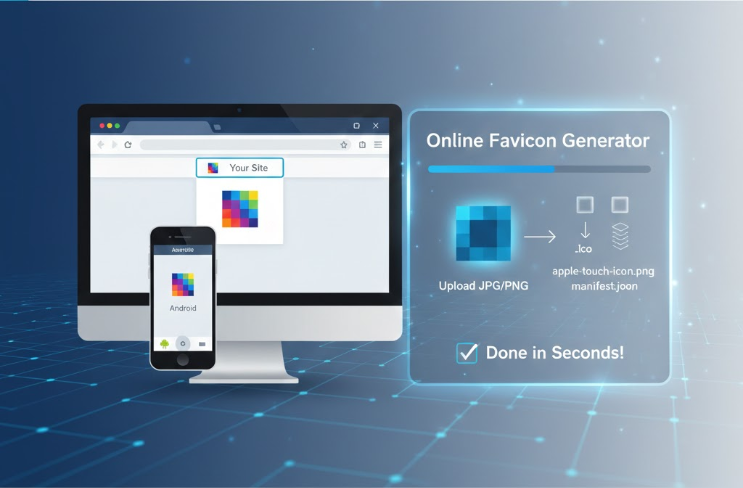
A favicon—that tiny icon in your browser tab—is arguably one of the smallest but most critical elements of your website's brand identity. It’s what helps users instantly recognize your site among dozens of open tabs and adds a touch of professionalism to your bookmarks.
However, creating a complete set of favicons for every modern device—from standard web browsers to Apple iPhones and Android PWA (Progressive Web Apps)—can be complicated, involving multiple sizes and specific file types.
Good news: our Online Favicon Generator automates this entire process, delivering a complete, ready-to-use package in seconds!
Why You Need More Than Just a Basic Favicon
In the early days of the web, a single .ico file was enough. Today, different devices and platforms demand different icons to display your brand properly:
Standard Favicons: Small PNG files (like
favicon-32x32.pngandfavicon-16x16.png) that appear in browser tabs and bookmark menus.Apple Touch Icons: A larger icon (
apple-touch-icon.png) specifically required when a user adds your website to their iPhone or iPad home screen.Android & PWA Icons: These modern devices use a Web Manifest File (
site.webmanifest) and several icon sizes to manage how your website appears when installed as an app.
Trying to generate all these manually is time-consuming and prone to errors.
The Power of Our All-in-One Generator
Our Favicon Generator simplifies this complex task into three easy steps:
Step 1: Upload Your Source Image
Start with a single, high-resolution source image. We recommend a square PNG or JPG image (ideally 512x512 pixels or larger) for the best results. A high-quality source ensures crispness across all the generated sizes.
Step 2: Instant Generation
Once uploaded, the tool instantly processes your image. It automatically:
Generates all necessary favicon PNG sizes.
Creates the required Apple Touch Icon.
Generates the crucial
site.webmanifestfile for Android and PWA support.
Privacy Note: Like our other tools, this is a client-side generator. Your original image is never uploaded to our servers, ensuring your data remains private while you create your icons.
Step 3: Download the Package and Deploy
You will receive a single, compressed (.zip) Favicon Package. This package contains every file you need. You also get the simple HTML code required to link these files on your website.
Download the package.
Upload all files inside the package to the root directory of your website.
Copy the provided HTML code and paste it into the
<head>section of your HTML files.
That's it! Your website is now fully equipped with professional favicons for every major platform, giving your brand a polished, modern, and instantly recognizable presence.